Customers & Business
Office Depot Fax: How to Send and Receive Faxes with Ease?

last updated Updated
October 29, 2026
5 min read

 Customers & Business
If you need to send a fax and don’t have access to a fax machine or a way to fax from your computer, Office Depot fax services may be an option for you. In this article, we’ll examine how to fax at Office Depot and whether the service is secure. We’ll also see its shortcomings and an alternative you can use when you need an even better service.
If you would like to shift from traditional faxing to a digital service, eFax® enables you to send and receive faxes anywhere in the world, anytime, from the convenience of your home, hotel, or office using any internet-connected device.
Sign up for eFax’s secure, convenient, and cost-cutting digital fax solutions today.
Can You Fax at Office Depot?
Yes. You can fax at Office Depot’s Copy and Printing Center, where you can send international, local, and domestic faxes.
Cost of Office Depot Fax Service
The Office Depot fax cost varies by location, depending on how far the fax will go. Individual stores may charge different rates, but generally, you can expect to pay $1.50-$2 for the first page, $1.29-$1.79 for each additional page. If you need to send an international fax, expect to pay $7.99 for the first page and up to $4 for each additional page.
Pros and Cons of Using Office Depot Fax Services
Office Depot merged with Office Max in 2013 and provides a wide range of office supplies and products. Most stores still offer fax services, but there are pros and cons to using the Office Depot fax service.
Pros of Using Office Depot Fax
- No internet required: The service comes in handy even if your access to the Internet is limited.
- Option for self-service: Some stores let you handle the faxing process yourself, helping you keep your documents from being scrutinized by store staff.
Cons of Using Office Depot Fax
- Not ideal for regular or high-volume faxing: Sending an occasional fax might be affordable, but not if you send faxes regularly, especially if you have large documents. It can get expensive fast.
- Fax transmissions aren’t always successful: Connection errors and fax machine malfunctions increase the chances of failing to send a fax with the service, meaning you may have to wait around longer to make sure your fax goes through.
- Inconvenient: You have to physically go to the store to use the Office Depot fax service. While faxing services are similar to what you’ll find at Staples, UPS, or FedEx or other fax services near you, it’s simply less convenient than faxing from your computer or phone.
Fortunately, eFax® saves the day, allowing you to conveniently send and receive faxes anywhere at any time without using a fax machine or printer.
Sign up for eFax® today to share documents at your convenience while cutting costs using digital faxing solutions.
How to Find an Office Depot Fax Store in Your Area?
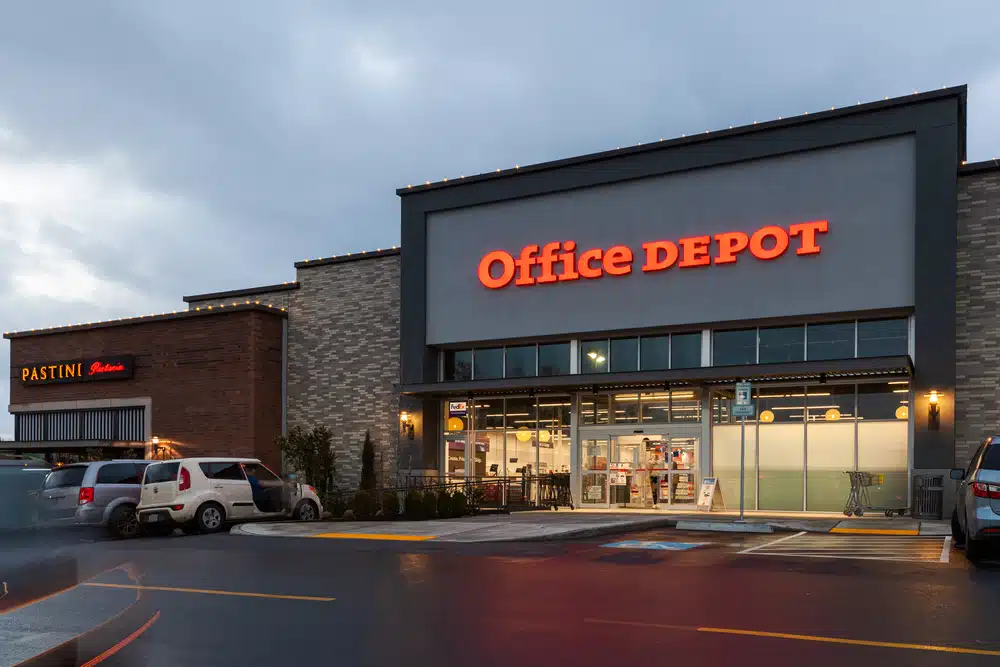
You can do a Google search or use Office Depot’s Store Locator to find one of the company’s 800 stores. Besides searching for fax services near me, you’ll also want to check Office Depot hours. Most stores are open weekdays from 9am to 8pm, 9am to 7pm on Saturdays, and 10am-6pm on Sundays. However, Office Depot hours can vary depending on the specific location.
How to Send a Fax from Office Depot?
Here’s how to send a fax from Office Depot:
- First, call ahead and make sure their fax machine is available and working. You don’t want to drive to Office Depot only to find out it’s not available.
- In most locations, you can either load the fax machine yourself or have a clerk do it for you. If you’re using self-serve, load the documents into the fax machine tray and dial the receiver’s fax number.
- Wait for the machine to connect, scan, and send the documents.
- Wait for a confirmation receipt showing the fax has been sent successfully. Double-check the details on the printed receipt.
- Pay for the service at the counter, using your confirmation receipt.
Rather make faxing easy? Learn how to fax a document from my computer instead.
Receiving Faxes at Office Depot
While you can use the Office Depot fax service to send faxes, you can also use it to receive faxes. Here’s how:
- First, call your local Office Depot and ask them if they have a fax number you can use to receive faxes.
- Write down the fax number and make sure the individual sending you a fax has the correct number.
- Once you get to your Office Depot store, locate the self-service fax machine and wait for your fax.
- Make sure that you are picking up the right documents, not someone else’s, and confirm you have received all the pages you’re expecting.
- Go to the service counter and pay the fee for the faxes you received.
How to Send a Fax Without Going to Office Depot
Faxing at Office Depot requires in-person visits as they do not offer an online fax service.
However, you can fax online using eFax®, which lets you fax without a fax machine or printer. It makes it possible to conveniently and securely send and receive faxes anytime from anywhere, provided you have an Internet-enabled mobile phone, computer, or tablet.
eFax®: A Reliable & Cost-effective Alternative to Office Depot Fax Service
Let’s see how Office Depot’s fax service stacks up against eFax:
| Office Depot Fax | eFax® | |
| Bulk Faxing | You have to send faxes individually to each recipient separately. | eFax® allows sending faxes in bulk. You can attach up to 3GB of files and share them simultaneously among up to 20 email addresses. |
| Convenience | You have to travel to a physical location to use a fax machine. | You can fax right from your mobile phone using the free eFax® mobile fax app or on your computer using the free desktop fax app. |
| Tracking | You can’t tell if your intended recipient got the fax unless you call them directly. | You can track your outbound or inbound faxes in real-time. |
| Security | While the fax itself may be sent securely, you don’t have control over who might see it at the store. | Security is better because the service uses multiple security measures, such as Data Encryption at Rest for stored faxes and Data Encryption in Transit for en-route faxes. |
| Scalability | Not scalable as your business or personal faxing needs grow. Gets expensive fast for sending more than a single fax. | Scalability is guaranteed as the platform accommodates the faxing needs of large enterprises and small businesses. |
Selecting the Ideal Fax Service for Your Needs
Modern faxing requires compliance, security, and affordability. Learn more about the features of eFax® and how it works to secure faxes, comply with industry standards, and cut costs.
FAQ’s
Let’s check out answers to questions about fax services at Office Depot:
Yes. Office Depot stores allow you to send and receive faxes. You’ll have to call your local store to get the fax number they use for incoming faxes.
The Office Depot fax service uses end-to-end encryption for transmissions. However, there’s no guarantee that your fax won’t be seen by store personnel or another customer who’s nearby.
While the company’s website says all Office Depot locations offer fax services, you’ll want to call the store first to confirm that the fax machines are working. You’ll also want to make sure there is a store associate working at the time who knows how to facilitate the Office Depot fax service.
You’ll need to bring a physical or digital copy of the documents you want to fax. Also, remember to have the recipient’s fax number on hand.
The fax machine you use at Office Depot should print a confirmation page showing whether or not your fax was sent successfully. If you find a newer model of the fax machine, it may also show the sending status on the display screen.
Fax at Any Time, Anywhere — Without a Fax Machine
If you only need to fax occasionally, then visiting nearby fax service centers like Office Depot might be an option despite the inconveniences of traveling and the high cost.
However, if you want to fax conveniently and seamlessly anywhere at any time across different Internet-based devices and platforms, you will be better off using eFax®.
Sign up for eFax® today to securely send and receive faxes anytime from anywhere, reduce costs, and comply with industry standards.