Customers & Business
UPS Fax: How Much Does It Cost to Fax from UPS?

last updated Updated
October 29, 2026
6 min read

 Customers & Business
As a business in regulated industries such as healthcare, finance, and legal, sharing sensitive information safely is challenging. Faxing remains one of the best ways to share information while complying with privacy regulations such as HIPAA.
But how do you send or receive faxes when you don’t have a fax machine or find fax services near you? Luckily, there are a few options available. The UPS fax service is one option and there are retail UPS stores in most cities.
Pro Tip: Traditional faxing can be challenging. However, our eFax digital faxing solution allows you to fax from anywhere, anytime, and for a low monthly fee. Our 24-hour fax service lets you send and receive faxes from anywhere on your smartphone, computer, or tablet.
Sign up for eFax today and reduce your costs with our digital faxing solutions.
Does UPS Offer Fax Services?
Yes. UPS offers faxing services, and you can fax at various outlets nationwide. However, not every UPS store offers the service, and the UPS fax cost may vary by location. So, if you’re searching for fax services near me with UPS, call ahead to make sure.
If they do, be sure to inquire about the fax charges to avoid any surprises and book an appointment to secure a spot. Sometimes, the faxing service can be busy, and you’ll have to wait for another customer to finish.
Requirements to Use the UPS Fax Service
You’ll need the following to send a fax via UPS faxing service:
- All the physical documents you want to send
- Cover sheet if you have any (UPS also has them)
- The recipient’s fax number
- The area code or international calling code
- Payment for the faxing service
Also Read: Can You Fax Documents at Walmart?
How Much Does it Cost to Fax at UPS?
Fax charges at UPS can be high. Depending on the location, you could be paying as much as $2 for the first page and between $1 and $1.50 for each additional page. That means paying more than $15 for a 10-page fax, and that’s if you’re sending it locally. There are additional fees for sending a long-distance fax.
5 Simple Steps to Send a Fax from UPS
While you do have to travel to a UPS retail store to send a fax, the process itself is easy.
1. Search for a UPS Store Near You
Find the closest location that offers the UPS fax service for customers. You may want to call to confirm they can send a UPS fax and get their rates.
2. Visit the Store
Head to the store and let them know you have a fax to send.
3. Give the Associate the Required Details
The staff member or associate will ask you to provide the recipient’s fax number and area code if you are using UPS fax services to send a fax out of state.
Provide a fax cover sheet if you have it. If not, they typically will provide you with one at no charge.
4. Wait for the Associate to Fax for You
Depending on the store, you can use the fax machine yourself. Most UPS stores will run the fax for you. If so, give the attending associate your document so they can initiate the faxing.
Once the machine establishes a connection, the fax transmission time is about 30 seconds per page. Your waiting time will depend on the number of pages in your document.
5. Pay the Required Fee
Once your document has been faxed successfully, pay the fee for the UPS fax service. If the first attempt failed, you might have to wait a bit more for the associate to try faxing again.
While sending a fax using UPS is fairly simple, you can send one faster and more securely with eFax. Sign up for our service today to send and receive faxes from anywhere! You can even electronically sign your documents before sending them, quickly attach files from the cloud to your virtual faxes, and much more.
eFax: A Reliable & Cost-Effective Alternative to UPS Fax Services
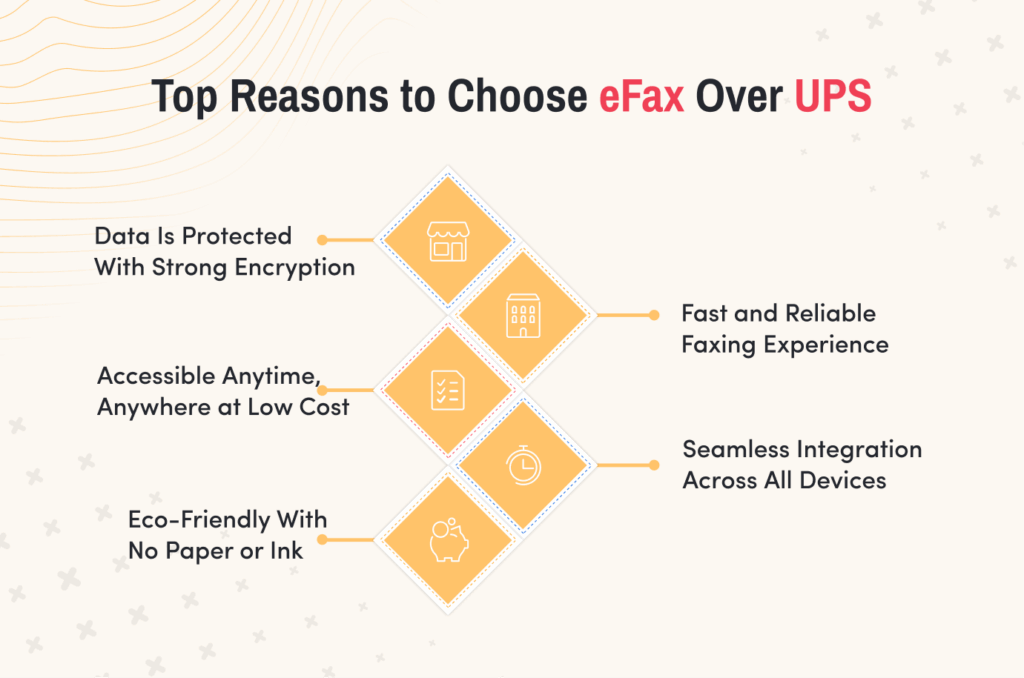
Traditional faxing is not an ideal solution in many ways. Modern faxing is an even better solution, and eFax is the best UPS fax alternative.
Here’s how eFax stacks up against UPS fax:
| UPS Fax | eFax | |
| Data security | Secure during transmission, but store associates or customers may see what you’re faxing. | Highly secure because faxes can be protected with encryption during storage and transfer. |
| Portability | The fax machines remain at UPS stores and you have to physically be there to use them. | You can send faxes anywhere on the go through the web portal or eFax Print-to-Fax desktop app. |
| Integration | UPS doesn’t integrate faxing with any digital workflow. | You can add a fax function to your CRM using our Salesforce Connector. |
| Costs | It can be costly for large documents or international faxes or if you need to send multiple faxes. | It charges a low monthly fee and doesn’t have additional costs for long-distance faxes. |
| Convenience and availability | Bring physical documents for scanning. Availability is limited to open business hours. | You don’t have to travel around with your documents. Available all the time, anywhere on any connected device with an Internet connection. |
| Eco-friendliness | Fax machines use ink, toner, paper, and electricity. Plus the environmental costs in manufacturing. | It’s very friendly to the environment because there’s no need for paper, toner, ink, or maintenance of fax machines. |
| Connectivity | Sends faxes from a fax machine only. | Sends and views faxes from devices interconnected by your eFax account, such as laptops, mobile phones, tablets, and computers. |
| Speed | You’ll have to drive to a UPS store, wait for your turn, send the fax, and wait to know if it has been received. | You can send a fax in minutes and receive a timely confirmation once the recipient gets it. |
| Reliability | Your fax may fail if there is downtime or fax signals are busy. | Faxes are successful because there aren’t busy signals. |
Learn more about the features of eFax and how you can send and receive virtual faxes in minutes!
How to Find a UPS Fax Store Near You
There are several ways to find a nearby UPS store:
- Search on Google or Google Maps for “UPS store near me” in your area.
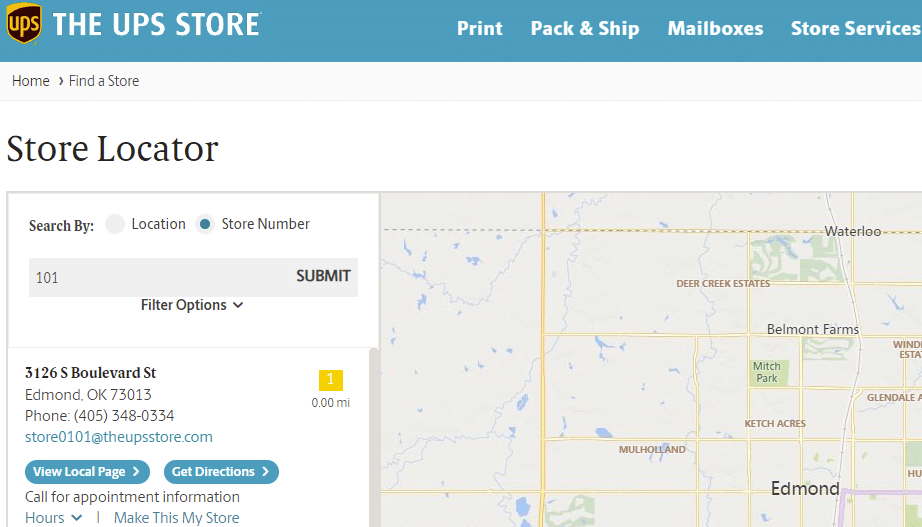
- Use UPS’s Store Locator on the company’s website. In the locator’s search bar, enter your ZIP code, city, or state, then click the “Search” button. Click “View Local Page” to see the store’s list of services. Note: the closest store may not show up at the top of the listing, so you may want to scroll down to find fax services near you.
Going Beyond UPS Fax
Faxing at UPS stores may work fine for occasional use; however, it can become expensive for frequent faxing. Each fax incurs a cost, which can add up quickly. For individuals or businesses requiring frequent faxing, eFax online faxing offers a more cost-efficient solution. eFax online fax services provide easy access from any device, anytime and anywhere.
Send Faxes Anytime, Anywhere with eFax – No Fax Machine Needed
Now you know how the UPS fax service works, how to send a fax, and how much it will cost. It’s also easy to find a nearby store that offers fax service.
Since online faxing is much better than traditional faxing, you’ll want a safer solution that lets you store files online for free and comply with industry regulations such as HIPAA.
That’s where eFax comes in! Learn how online faxing with eFax works
FAQ’s
Here are a few additional questions you may have about UPS faxing:
You can receive a fax at UPS in much the same way you can send one, but you’ll want to call ahead to get the fax number of the local store. You should also know that your fax may arrive and be visible to store associates when you use traditional fax machines to send and receive messages.
Yes, you can send an international fax at UPS. The only issue is that the cost can be expensive. A 50-page document could cost $150 or more.
No. You can’t fax online using UPS. The only option is to take your physical documents to one of their stores and fax them from there.
If you prefer to fax without a fax machine, you can use eFax. Our service is a web-based portal that you can access from anywhere at any time using your eFax account and any Internet-connected device.
Yes, UPS does offer fax services.
UPS does not offer free fax services. You also won’t get free faxing at Staples, Office Depot or FedEx print stores. You can get free fax as part of a trial with eFax®, which lets you send up to 200 pages at no cost for seven days.