Fax Cover Sheet Templates
Download Free Printable Fax Cover Sheet Templates.


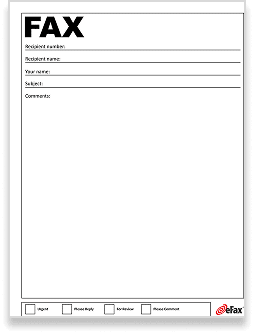
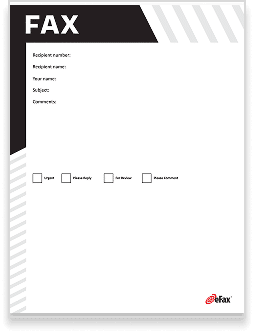
What is a Fax Cover Sheet?
A fax cover sheet is the first page of a fax. It is also known as a fax cover letter or a confidential fax cover sheet. The first page of the fax contains overview information about the contents of the fax.
This information can include the sender’s name and address, intended recipient information, whether or not the contents are confidential, the date, and other essential details.
Fax Cover Sheet Templates and Their Benefits
A fax cover sheet template is a pre-configured, blank fax cover sheet that contains labeled spaces for the required information you want to add to your fax cover sheet. Fax cover sheet templates provide these benefits:
-

Downloadable templates allow you to edit and quickly craft a fax cover sheet without having to create one from scratch.
-
Update the fax cover sheet branding to match your organization’s logo and colors.


Save Time with eFax’s Pre-Formatted and Custom Fax Cover Sheets
Fax cover sheets help to ensure that faxes get where they need to go and that the recipients have some basic information about what’s contained in the fax. A fax cover letter can provide a more comprehensive overview of a faxed document. This lets the recipient quickly learn about what they can expect in the rest of the document without having to flip through the pages.
When you send an online fax with eFax, a cover sheet is automatically generated for you, saving you an extra step. If you want to customize your fax, you can always create your own or use one of the provided fax cover page example templates. Getting started with eFax is fast and easy.
Start Faxing NowDownload Free Fax Cover Sheet Templates
Whether you want to fax a PDF or send a fax using Gmail, eFax has you covered. There are lots of cool things your eFax account is able to do. Learn more about your options when using eFax on our Help Center.
eFax Cover Sheets: A Quick Way to Add Key Fax Details
With eFax, you can send faxes online through your eFax account and easily include a fax cover sheet that has been pre-formatted for you. If you choose the standard cover sheet, all you need to do is enter basic information into the preset fields. Your cover page will then automatically be filled out and added to the front of your fax.
Fax cover sheets save a lot of time because they tell you who the fax is intended for, who sent it, and how many pages there are included. This streamlines the faxing process by avoiding any confusion – and who doesn’t love that?
What Should Be Included in a Fax Cover Sheet?
The format of a faxing cover sheet can vary, but there is some important information that every cover sheet for faxing should include. Here are some of the details that you should include when creating a cover sheet for a fax. The goal of all of this information is to ensure that your fax gets to its intended destination, even in a busy office.

When the fax was sent.
The date and time that a fax was sent are especially important if the fax contains time-sensitive information. This isn’t something you have to worry about when sending online faxes with eFax, as the date and time are added automatically to each fax.
Your company’s information.
Information about the company that the person sending the fax is from should be included in the cover sheet. This includes the company’s name, as well as contact information like its address, phone number and fax number.
Your information.
Information about who is sending the fax should also be included on the cover sheet for faxing. This includes your name, phone number and email address.
The fax recipient’s information.
The name and fax number of the person you’re sending the fax to should also be included in the fax cover sheet.
Basic information about the fax.
Include a quick overview of the purpose of the fax as a note to the recipient in your cover sheet. This is optional.
Client ID or referenced number.
This is another optional piece of information that can be used to help you keep track of messages or projects.

Send and Receive Faxes in Minutes
Why do Millions of Users Trust & Choose eFax for Sending and Receiving Faxes?
eFax has led online fax services for two decades, serving millions worldwide. We’re relied upon by Fortune 500 firms and SMBs globally, offering efficient online faxing and HIPAA-compliant plans
FAQs Around Fax Cover Sheets
To write a cover letter for a fax, either use a word processor or start with a template. Then, include the following information:
- A header for your information and the recipient’s information. Include today’s date and the page count.
- In the subject, write a brief description of the purpose of the fax.
- Add a body that summarizes the key points of the fax and the required action.
- If needed, add a confidentiality statement that communicates the private nature of the contents.
When sending a fax with a cover sheet, it’s important to remember to count the cover sheet as a page. It’s also important to remember that anyone might see the cover sheet when it comes out on the recipient’s fax machine. Avoid including sensitive or private information about the nature of the fax on your cover sheet. You can also write “Confidential” at the top of the cover sheet to let other employees know that they shouldn’t look through the rest of the faxed documents.
A professional fax cover sheet includes additional information that likely isn’t contained within the fax itself. The format of a faxing cover sheet can vary, but usually includes:
- Faxing date
- Company information
- Sender & recipient information
- Fax overview
- Client ID
To download a fax cover sheet, visit a website with free fax cover sheet templates (like this eFax Fax Cover Sheet website). Scroll to the template you want to use, and click the link to download the template. It will either save in your browser downloads or to a local folder.