Home › Fax Cover Sheets › Simple Fax Cover Sheets
Simple Fax Cover Sheet:
A Complete Guide
Download Free Printable Simple Fax Cover Sheet Templates
eFax provides a range of simple fax cover sheet templates for all industries, enabling users to easily print out cover sheets to support their
fax messages.


How a Simple Fax Cover Page Can Streamline Your Faxing Process with Essential Details
Simple fax cover sheets are an effective tool for smooth communication. It focuses only on the necessary details and makes your transmissions fast and professional. It highlights essential information, reduces clutter and makes it easier for the recipient to understand the purpose of your fax right away.

What is a Simple Fax Cover Page?
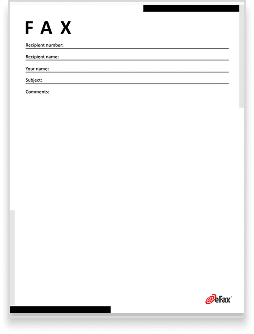
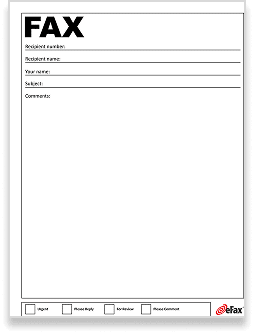
A simple fax cover page is a streamlined, straightforward sheet that delivers only the core information needed for faxing. Unlike complex cover sheets, this type focuses on minimalism. Typically, simple fax cover sheets include only key details like who is sending the fax, who should receive it, the date and the purpose of the fax. Whether you’re sending a one-page document or a longer set of files, it keeps things clear and organized.
Key Elements of a Simple Fax Cover Sheet
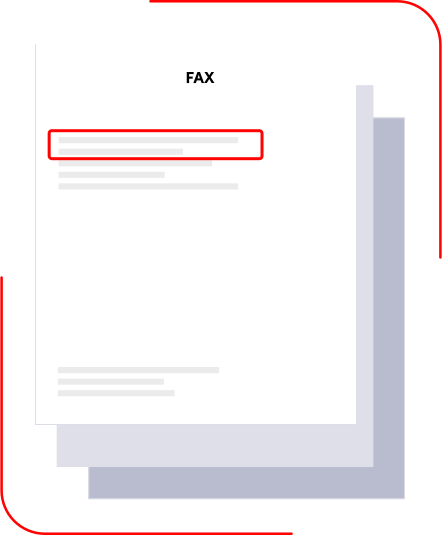
A well-organized, simple fax cover sheet should include the following elements:

Sender’s Information:
Include the sender’s name, contact number and fax number.
Recipient’s Information:
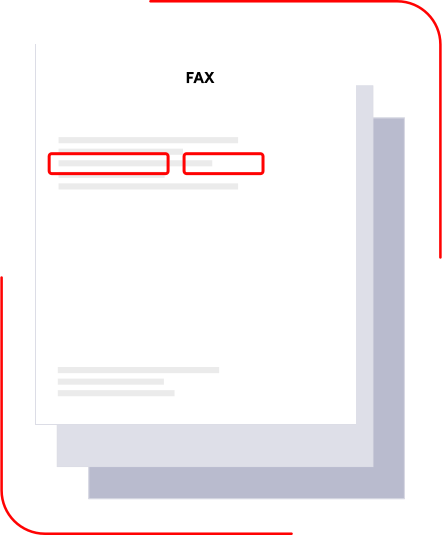
The recipient’s name and fax number should be clearly listed.
Date and Time:
These details help track when the fax was sent.
Subject Line:
A brief description of the fax’s purpose.
Number of Pages:
Listing the number of pages can help the recipient confirm they got everything.
Notes:
Any extra information (if needed) can be added here. For example, a confidentiality statement or disclaimer.


Start Building with the eFax Platform
Four Best Practices for Creating a Basic Fax Cover Sheet
Here are a few simple practices to keep in mind when creating a fax cover sheet:
- Avoid unnecessary details to keep the cover sheet clean.
- Make sure the sheet is easy to read, with well-organized information.
- Double-check the recipient’s contact info to ensure accuracy and prevent delays.
- If you add optional notes, keep them brief for easy scanning.
Following these best practices can help you create a simple, effective cover sheet that delivers all the necessary information quickly.

Simplify Your Faxing with eFax
eFax offers a seamless solution for sending faxes from any device, eliminating the need for a physical fax machine, paper or phone line. With our software, your cover sheet and documents can be sent online, making the process faster and more efficient.
Whether you’re working from your computer, tablet or smartphone, we simplified faxing by giving you a reliable, easy-to-use and secure system that fits into your workflow.
Online faxing removes much of the manual work traditionally associated with creating cover sheets. Instead of filling out a printable form, you can generate a cover page automatically by entering sender and recipient details before sending a fax. With cloud-based faxing, cover sheets can be created, edited, and attached directly from a desktop or mobile device, helping you streamline your workflow while maintaining a professional and consistent presentation.

When to Use a Simple Fax Cover Sheet
A simple fax cover sheet works best when clarity and speed matter more than branding or detailed formatting. Many professionals choose a basic layout for everyday document sharing, internal routing, or high-volume sending where unnecessary fields can slow workflows.
Simple cover sheets are especially useful for mobile or digital faxing ny keeping the structure minimal, reducing errors, improving readability, and ensuring your faxes reach the right person without adding extra administrative steps.

FAQs Around Modern Fax Cover Sheets
See All FAQ'sA simple fax cover page keeps your communication focused and professional by highlighting only the essential information. This makes it easier for recipients to quickly understand who sent the fax, its purpose and whether they have received all the pages.
The minimum details include the sender’s and recipient’s names, date and time of the fax and the subject. Adding the number of pages can also help make sure the recipient received everything, while notes are optional but sometimes useful.
Yes, a simple fax cover sheet is perfectly acceptable for business communications. It’s especially useful when you need to convey information quickly and clearly with no extra details.
A cover sheet isn’t always required, but it’s strongly recommended because it clearly identifies the sender, recipient and purpose of the fax, helping prevent routing errors.
Yes. The cover sheet is typically included in the total page count so recipients know they received the full transmission.
No. Since cover sheets may be visible before the fax is routed, they should contain only high-level information and avoid sensitive details.
If you’re sending regulated or sensitive information, a more detailed cover sheet with a confidentiality statement may be more appropriate.
Yes. eFax allows you to attach or generate cover sheets directly from mobile devices without printing anything.