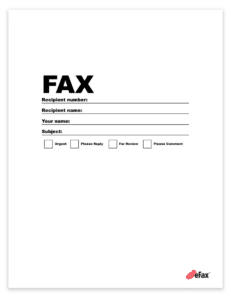
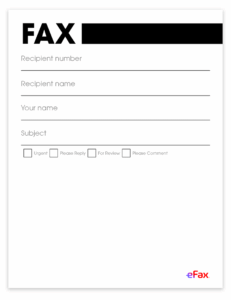
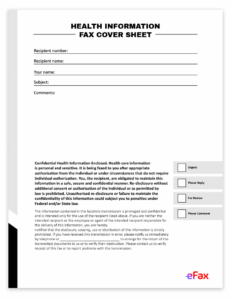
How to Fax Personal Cover Sheets
To fax a personal cover sheet, include your name, contact information, the recipient’s name and fax number, and a brief message explaining the purpose of the fax. Using eFax, you can easily add a personalized cover sheet and send your documents online without a physical fax machine.
Before you begin
- You need an active eFax account to use the web portal or desktop app.
- Your account includes a dedicated local or toll-free fax number.
In This Article
- How to send a personal fax cover sheet from a computer
- How to send a personal cover sheet from email
- What is a personal cover sheet
- Key elements of a personal fax cover sheet
- Best practices to create a personal cover sheet

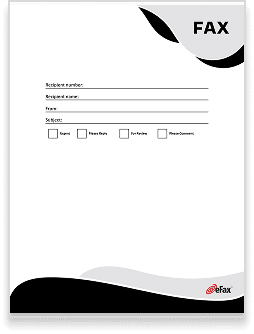
How to Send a Personal Fax Cover Sheet from a Computer
- Download one of our free personal fax cover sheets or use your own.
- Customize it, adding information such as company name and sender information, recipient information, date, time, number of pages, and any additional notes.
- Open up the eFax Portal or mobile app.
- Click on the option to send faxes.
- Enter the recipient’s country code and fax number.
- Attach your documents.
- Click send.
How to Send a Personal Fax Cover Sheet from Email
- Download one of our free personal fax cover sheets or use your own.
- Customize it, adding information such as company name and sender information, recipient information, date, time, number of pages, and any additional notes.
- Open up your email, such as Outlook or Gmail.
- Type the recipient’s fax number in the To field, followed by @send.efax.com. For example: [email protected].
- Type a short message (optional).
- Attach the cover sheet and your document.
- Click send.
Need a different type of fax cover sheet? Download free, customizable fax cover sheets form our library.
Why you need a personal fax cover page for privacy and clear communication
Personal fax cover sheets, or pages, offer a practical way to protect your privacy while you maintain clear, direct communication. These cover pages help organize the details of your message. Whether you’re faxing sensitive documents or a quick note, a cover page can add a layer of personalization. Plus, with free templates available, creating a personal fax cover page is easier than ever.
Key Elements of a Personal Fax Cover Sheet
Personal fax cover sheets are simple yet effective, usually including the following details:
Sender Information:
Include your name, address and contact details.
Recipient Information:
List the recipient’s name, fax number and contact info.
Date, Time and Number of Pages:
These details are useful for record-keeping and tracking.
Short Message or Purpose of Fax:
Briefly state the purpose of the fax for context.
Confidentiality Notice:
This optional note reinforces privacy, especially for sensitive information.
Personal Signature:
Adding a signature can personalize the fax.
4 Best Practices to Create Personal Fax Cover Sheets
To make your fax cover sheet as effective as possible, follow these best practices:

Include only the necessary details for a clean, personal touch.
Double-check that all contact information is correct to avoid sending the fax to the wrong person.
Add an optional confidentiality notice to reinforce privacy, which is key for personal faxes.
Sign your name to make the fax feel more direct and personalized.
These tips can make your cover page clear and more secure — with eFax, you can add email signatures from your fax dashboard.
Send Personal Faxes Easily with eFax
eFax provides secure online faxing for sending personal and business faxes from any device. You can create and send faxes quickly through an intuitive online interface or free mobile fax app. eFax makes it simple to fax without a physical machine, which can help you stay organized while making sure your information is accessible only to the intended recipient.
FAQs About Personal Fax Cover Pages
A cover page is highly recommended for personal faxes. It helps keep information organized and provides a polished look, which makes communication more effective and polished. A cover page also adds a layer of privacy by clearly identifying the sender, recipient and purpose of the fax.
A personal fax cover page should include essential details that make your message clear and complete. Key items are your name and contact information, the recipient’s name and fax number and the date and time of the fax. Additionally, a brief note on the purpose of the fax can help provide context.
While you can certainly use the same cover page template as a base, it’s best to customize each one for accuracy. Updating the recipient’s specific details, such as name and fax number, helps make sure that the information is correct and prevents mix-ups.