
 Customers & Business
Faxing is a secure and convenient way to send and receive documents for your business or individual needs. But you don’t have to rely on bulky traditional fax machines and separate phone lines. These days, you can choose a fax server or a cloud solution to send and receive secure documents.
The Evolution of the Fax Server: Moving to an Enterprise Cloud Fax Hub
Legacy on-premise fax servers were once the backbone of secure corporate communication, offering a network system that allowed organizations to eliminate physical, clunky fax machines and instead send and receive faxes directly via computers. However, maintaining these legacy setups in the modern business landscape has become an expensive, infrastructure-heavy bottleneck.
As enterprises migrate to cloud-first strategies, the traditional fax server is giving way to a more agile framework: an enterprise-hosted fax service.
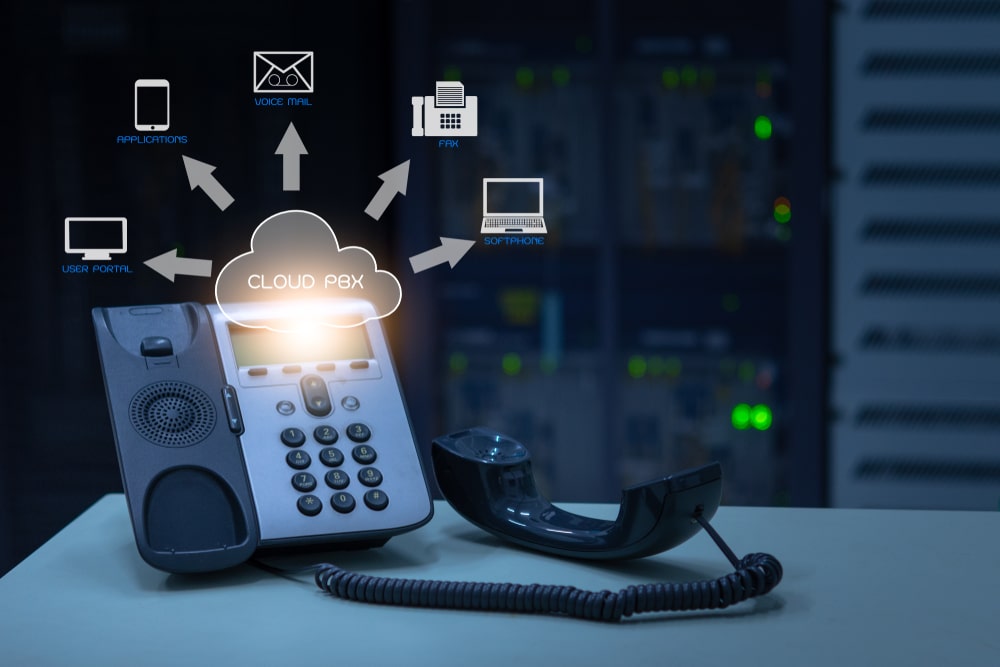
A cloud fax hub shifts your entire document transmission workflow into a secure, fully integrated cloud ecosystem, completely removing the need for physical server maintenance, dedicated phone lines and complex local software installations
Migrating to a hosted fax service like eFax completely removes physical infrastructure from the equation, transforming faxing into a streamlined digital cloud fax workflow. Users can send secure faxes through the online eFax portal, or within the applications they already use. You can fax through email or use eFax Print-to-Fax within the program you’re using. On the go? Use the free eFax mobile app.
How Does a Cloud Fax Server Work?
Documents are sent to the eFax Corporate® cloud network, where our servers convert the digital file into the appropriate fax format and securely transmit it to the recipient. You get automatic delivery confirmations and status alerts sent back to you.
It’s a similar process when you receive a fax. The cloud fax hub detects an incoming transmission sent to your enterprise fax number and routes it to your inbox or email.
Core Features of a Cloud Enterprise Fax Infrastructure
When evaluating a cloud fax service to replace an on-premise server, look for these enterprise-ready capabilities:
- Customizable workflows & APIs: An ideal platform allows you to create custom rules to sort transmissions and integrate seamlessly with your existing business processes via API. This lets backend applications send and receive data automatically without manual intervention.
- Email integration: A core feature of a cloud fax server as a service is its ability to integrate natively with your existing corporate email systems. This ensures employees can manage transmissions within the interfaces they use every day, maximizing productivity.
- Remote access: Enterprise teams must be able to securely access the transmission hub from any device, anywhere they have an internet connection.
- Centralized document management: Transitioning to the cloud provides a secure, digital repository where documents are centrally stored, so you can search for specific files and monitor data movement.
- Security and compliance: You need an enterprise fax solution that provides end-to-end data encryption and secure online storage, offering automated audit trails and complies with HIPAA, SOX and GLBA regulations.
Switch to eFax: A Modern, Cost-Effective Alternative to Fax Servers
Consider an enterprise fax solution like eFax as a modern and cost-effective alternative to fax servers and traditional fax machines. Here are some of the benefits that you can get when you sign up for an eFax account:
- eFax is easy to use. With an intuitive user interface and quick setup, you can send and receive faxes from your computer or mobile device as long as you have an internet connection. You can easily upload documents and photos to your eFax account and quickly create cover pages. This means you can send faxes on the go without needing to use a traditional fax machine.
- Count on eFax’s reliable features. eFax offers features like fax confirmations, error messages, and delivery notifications, so you always know that your fax was delivered to your recipients.
- eFax grows with your business. You can scale your eFax plan up or down to meet your fax volume needs, which makes it a cost-efficient fax service option for large and small businesses.
- Securely send sensitive documents. With a variety of security features to protect your faxes, eFax helps you send and receive sensitive information by fax. Some of the security features include data encryption, HIPAA compliance for healthcare providers, and audit trails.
- Invest in a cost-cutting solution. If your business doesn’t fax frequently, eFax can be a more cost-effective option than traditional faxing. If your business sends a high volume of faxes, eFax offers scaling subscription plans to meet your needs.
Enterprise Cloud Faxing for AWS Customers
For businesses already using Amazon Web Services (AWS), eFax Corporate makes it easier to add enterprise-grade cloud faxing through the AWS Marketplace and use it to securely send and receive faxes by email, web interface, mobile app, or API from any internet-connected device. This gives organizations a practical way to replace paper faxing, fax servers, phone lines, and other on-site infrastructure with a cloud-based workflow that supports remote teams, distributed offices, and high-volume document exchange.
eFax Corporate also helps AWS customers strengthen security, reliability, and compliance across regulated industries such as healthcare, life sciences, legal, insurance, financial services, and manufacturing. With the eFax mobile app, AWS customers save time with a simple workflow – scan, enter phone number, press “send fax.” The eFax Enterprise API enables high-volume faxing directly to other applications, providing a unified faxing and billing environment that simplifies the fax administration process.
Case Studies
Cloud faxing helps reduce inbound fax costs by about 85%, a 50% reduction in paper usage, and a 60% reduction in document processing times. Here are a few cases studies by companies putting eFax cloud fax solutions in place and the results they achieved.
A Fortune 500 national insurance company introduced eFax Corporate to its network of independent representatives, standardizing secure, encrypted online faxing by more than 1,000 agents.
Duane Morris was able to eliminate the capital expense of replacing their servers and associated software. They also saved on fax server management, maintenance and telephony costs.
A regional bank moved its fax service online with eFax, maintaining rigorous security requirements and eliminating fax server maintenance expenses while gaining geographically diverse redundancy.
Moving to eFax, McCabe Group decreased downtime and streamlined faxing, saving more than a thousand dollars every week in manpower and communication.
What Are Fax Servers?
When you think of a fax machine, chances are you imagine a large, loud, clunky piece of hardware that delivers paper copies of documents from a sender. While many businesses still use physical fax machines, fax servers are becoming more commonplace. So what is a fax server?
A fax server is a network system that allows you to send and receive faxes directly on your computer or internet-enabled device. When you use a fax server, you no longer need a physical fax machine at all.
A fax server typically involves installing software on a server. Windows fax server is an example of this type of software. The software connects to the internet or a phone line and enables you to convert digital documents into fax signals which it then transmits over the internet or phone line.
How to Use Fax Servers for Efficient Fax Sending and Receiving?
A fax server is an intermediary between the sending and receiving computers or fax machines. When you send a fax using an online fax service, the fax server receives the document and converts it into a fax format.
Then, the fax server dials the phone number of the recipient and proceeds to send the document as a fax to server. Finally, the receiving fax machine either prints out the fax or notifies the receiver that a fax is waiting in their inbox.
5 Benefits of Using a Fax Server
A fax server allows you to securely and easily share documents with your recipients, either as emails or to an online fax service. Now that you know what a fax server is and how it works, why would you want to use one over a traditional fax machine? By using a fax server instead of a physical fax machine, you can:
- Increase productivity. Your team can send and process faxes from where they’re already working: at their computer. No more waiting for a fax machine to finish sending or dealing with paper jams; by using a fax server, each employee can send and receive documents at the same time.
- Efficiently manage documents. Fax servers and their software provide centralized document storage in the cloud or digital repository. This lets you quickly search for specific documents and add security measures to protect sensitive data.
- Access enhanced features. Fax servers offer enhanced features from traditional faxing, like email integration, notifications and alerts, customizable settings, audit trails, HIPAA protection, and advanced reporting.
- Save money. Using an online fax server instead of a traditional fax machine can reduce costs associated with physical faxes. By faxing documents online, you no longer have to pay for paper, ink, toner, or regular maintenance. You also don’t have to pay for a separate phone line for a fax server.
4 Essential Features Every Fax Server Offers
Finding a suitable fax server among all the available options can be daunting. When you’re researching possible fax servers, make sure to look for these four essential features that every fax server should offer:
- Remote access. You should be able to access your fax server anywhere you have an internet connection, from any device.
- Integration with email. Every fax server should integrate with your existing email system; you shouldn’t have to change to a new email system to use the fax server. Email integration makes managing faxes easy and convenient.
- Data protection. Your fax server selection should offer advanced security protocols like HIPAA compliance, data encryption, audit trails, and transmission security like TLS/SSL.
- Workflows you can customize. An ideal fax server should allow you to automatically download and distribute inbound faxes to specified locations, create rules to sort faxes and integrate with your existing business processes via API.
The Hidden Liabilities of On-Premise Fax Servers
Relying on an on-premise fax server introduces several operational risks and a few hidden expenses, especially if you’re in a growing business.
- Telephony complexity: Traditional fax servers often require specialized telephone lines or complex Fax over IP (FoIP) configurations. Managing these connections alongside enterprise telecom networks introduces continuous configuration challenges.
- The maintenance trap: Traditional fax servers require a higher initial cost investment because of the necessary hardware, software, and ongoing upkeep. IT teams must also dedicate time to software patches, hardware maintenance, and troubleshooting.
- Scalability challenges: If your business experiences a sudden surge in data volume, on-premise infrastructure can experience capacity bottlenecks, resulting in busy signals or delayed processing.
- Document management friction: While local software offers digital storage, it frequently stores it in local silos, making cross-departmental collaboration and centralized oversight difficult for remote or hybrid teams.
That’s why so many businesses move to a cloud fax server, using a service like eFax to simplify sending documents and lowering costs.
FAQs
A traditional fax server requires on-premise software, hardware, maintenance, and sometimes dedicated phone lines. Cloud fax moves that infrastructure to a hosted online environment, allowing users to send and receive faxes through email, a web portal, mobile app, or integrated business applications.
Yes. Fax servers and cloud fax solutions can reduce costs for paper, ink, toner, maintenance, hardware, and phone lines. Cloud fax can also help businesses avoid the capital expense of replacing or maintaining legacy fax servers.
Yes. eFax Corporate allows enterprises to port their existing numbers, so your clients and partners can continue to fax you while you shut down your local server hardware.
eFax Corporate utilizes 256-bit AES and Transport Layer Security (TLS) encryption, which are the highest encryption standards available. That’s one reason more than half of Fortune 500 companies trust eFax for their online faxing.
Important features include email integration, remote access, secure document storage, audit trails, encryption, delivery notifications, customizable workflows, API integrations, and support for compliance requirements such as HIPAA, SOX, or GLBA if needed.